
Configure: shared context for AI apps and chats
Configure is infrastructure for connecting agents, apps, and chats through shared context. Your app gets a portable, user-approved profile: who the user is, how they like to work, memories they bring over from ChatGPT, Claude, Gemini, and Grok, apps they connect such as Gmail, Calendar, Drive, Notion, and Sheets, and what the other agents they use have learned about them. It works in both directions: what your agent saves goes into the same profile, so every other agent the user connects knows it too. Users approve everything on Configure's page, see which agent saved what, and can disconnect or delete at any time.
TIP
Fastest path: hand your coding agent one message: Read https://configure.dev/skill.md and add Configure to this project. See Skills.
The pattern
One integration, the same for every app:
- An entry point in your app, picked from Configure's components: a chip under the chat, a tab in the sidebar, a button in onboarding. In a chat, clicking it starts one fixed message: I want to securely connect my context. In onboarding or settings, clicking it takes the user straight to Configure's page.
- Configure's card answers the message, inline in the conversation, as an MCP app iframe your server mounts.
- The user approves on Configure's hosted page and lands back where they started, connected: in the chat, or on the next onboarding screen with their details already filled in.
- Your server refreshes their profile once a day, because it keeps growing everywhere else the user takes it, and injects it on the first turn of every session.
- Your server commits every message, so the profile keeps learning.
- The model holds the Configure tools over MCP and reaches for them whenever it wants: searching the profile, saving what the user said a moment ago, reading their Gmail or Calendar.
Steps 4 and 5 are yours, and they are deterministic so the baseline is never in question. Step 6 is the model's, and it is where the interesting behavior lives.
In code, the whole pattern is five calls on one SDK handle, and the Quickstart shows each one in place:
ts
import { Configure } from "configure";
const configure = new Configure({ apiKey: process.env.CONFIGURE_API_KEY, agent: process.env.CONFIGURE_AGENT });
const profile = configure.profile({ externalId: user.id });   // one handle per user, keyed by your id

const connect = await profile.connect();                       // 2. answers the fixed message; mount its result as the card
const read = await profile.read({ sections: ["identity", "preferences", "summary"] });   // 4. once a day; read.profile.format() goes in the system prompt
await profile.commit({ messages: turnMessages });              // 5. end of every turn
const session = await profile.mcpSession();                    // 6. session.mcp_servers goes to the model
What it looks like
One app, one user, start to finish. The app is Remy, a research assistant; the user is Nova Sandbrook, the synthetic profile every Configure sandbox ships with.
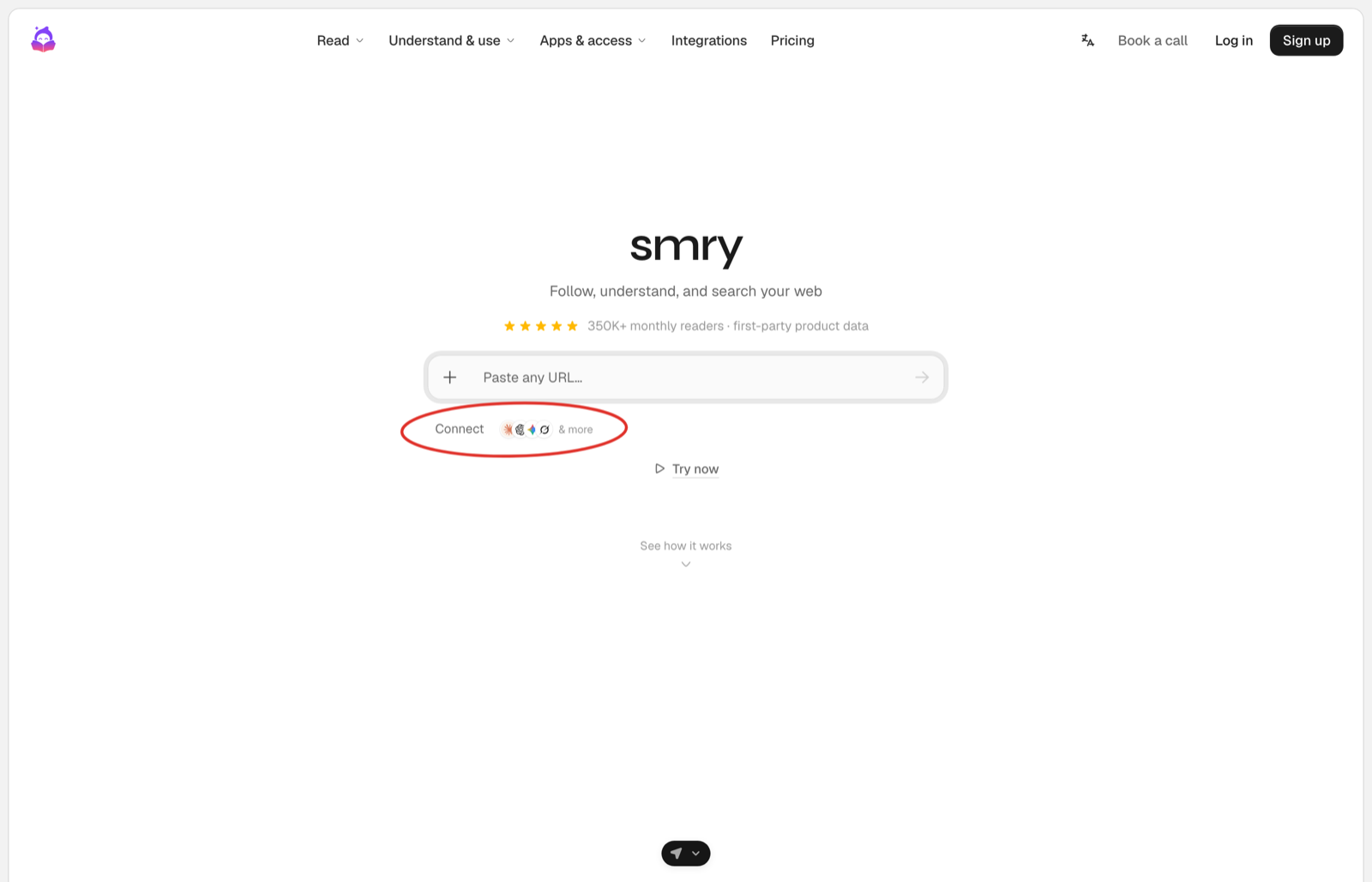
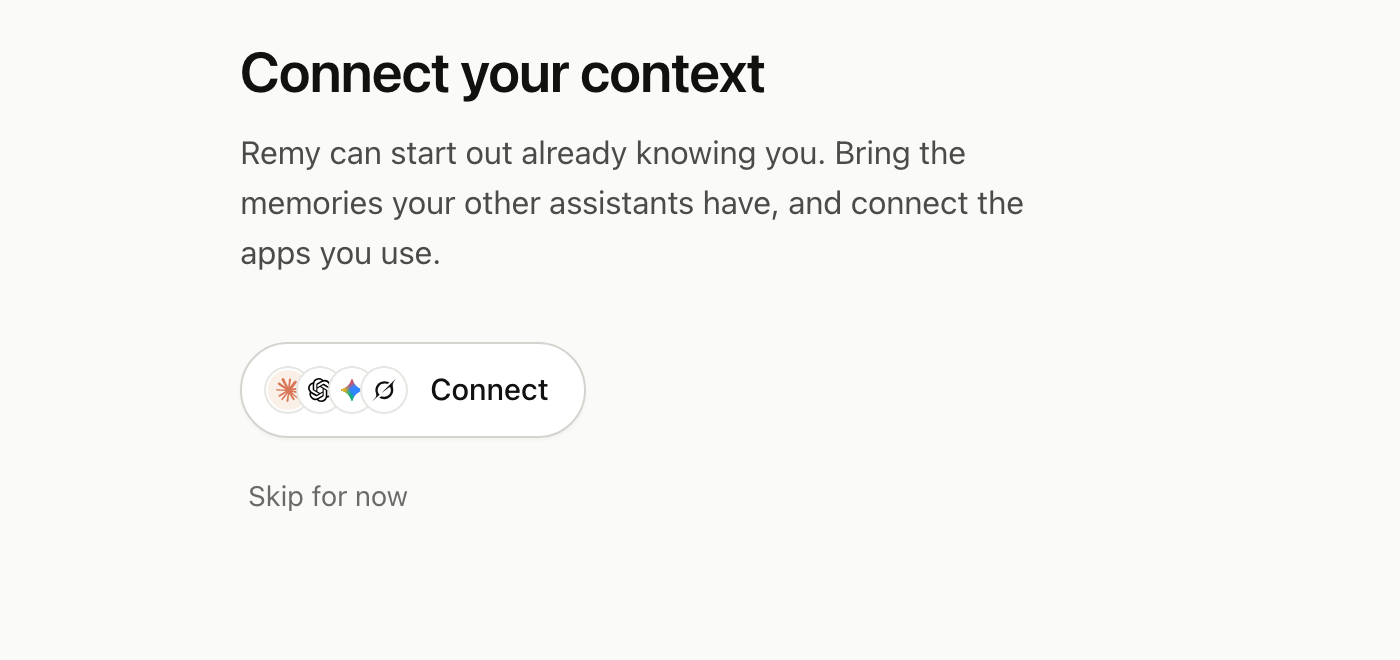
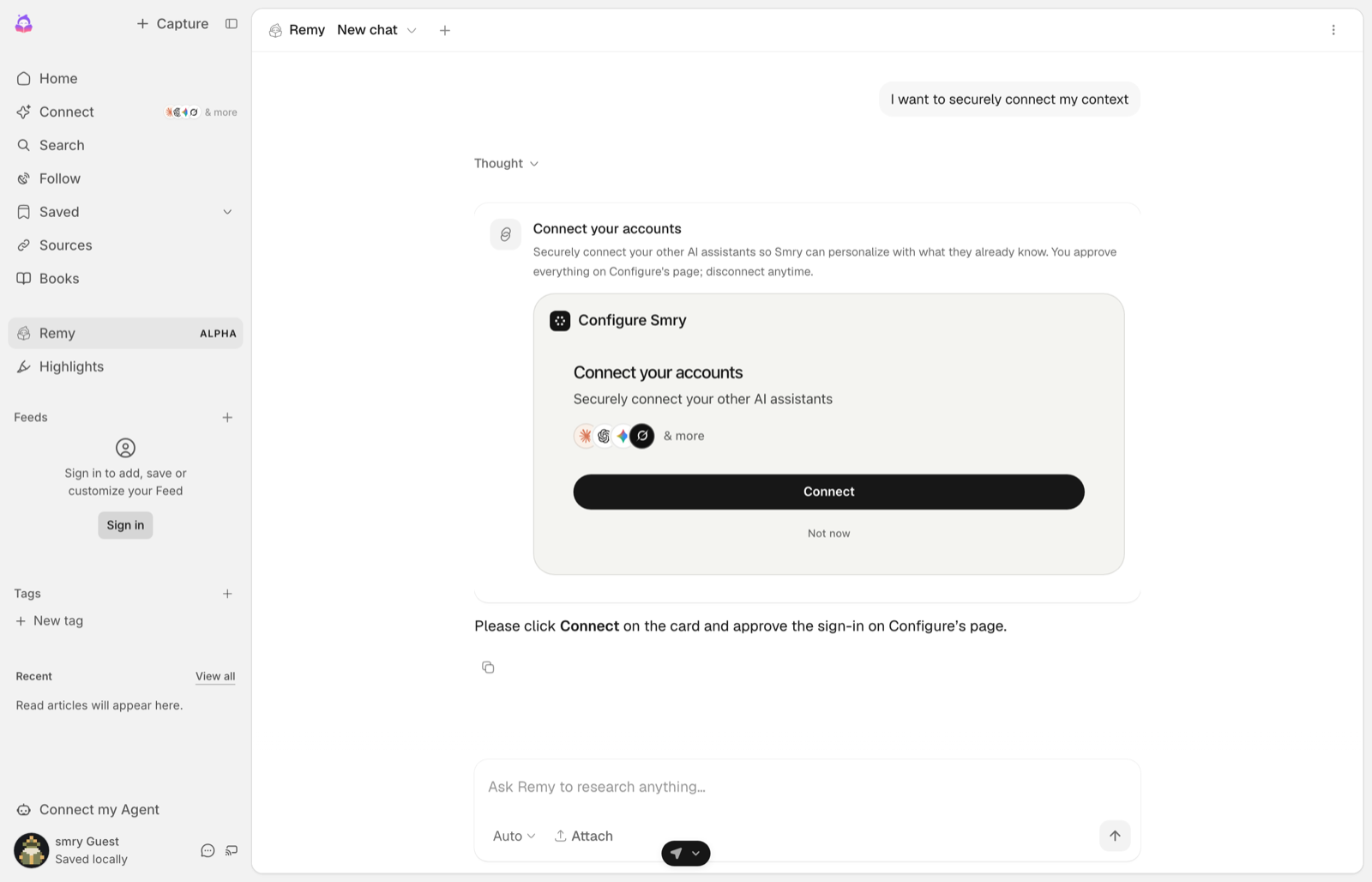
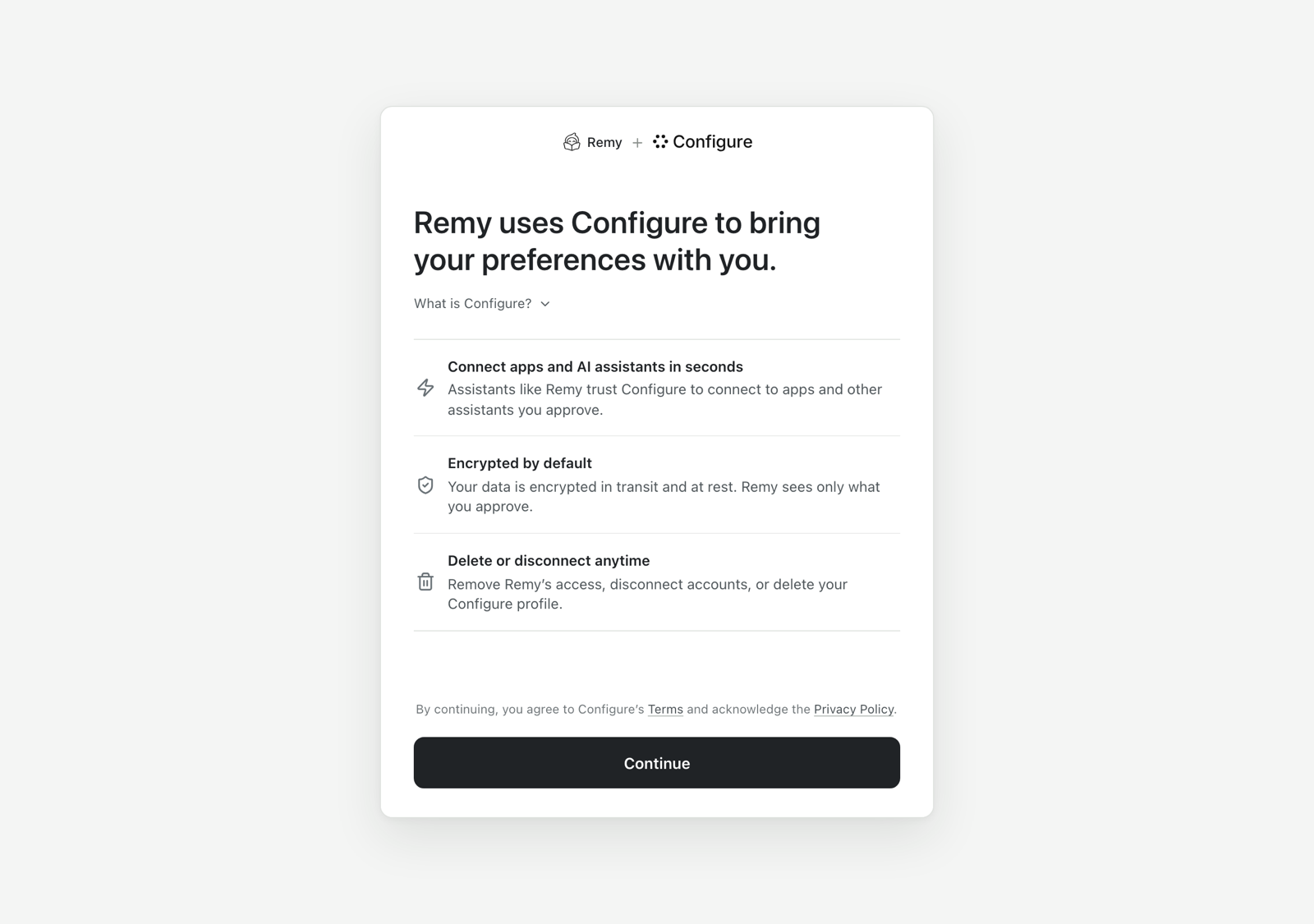
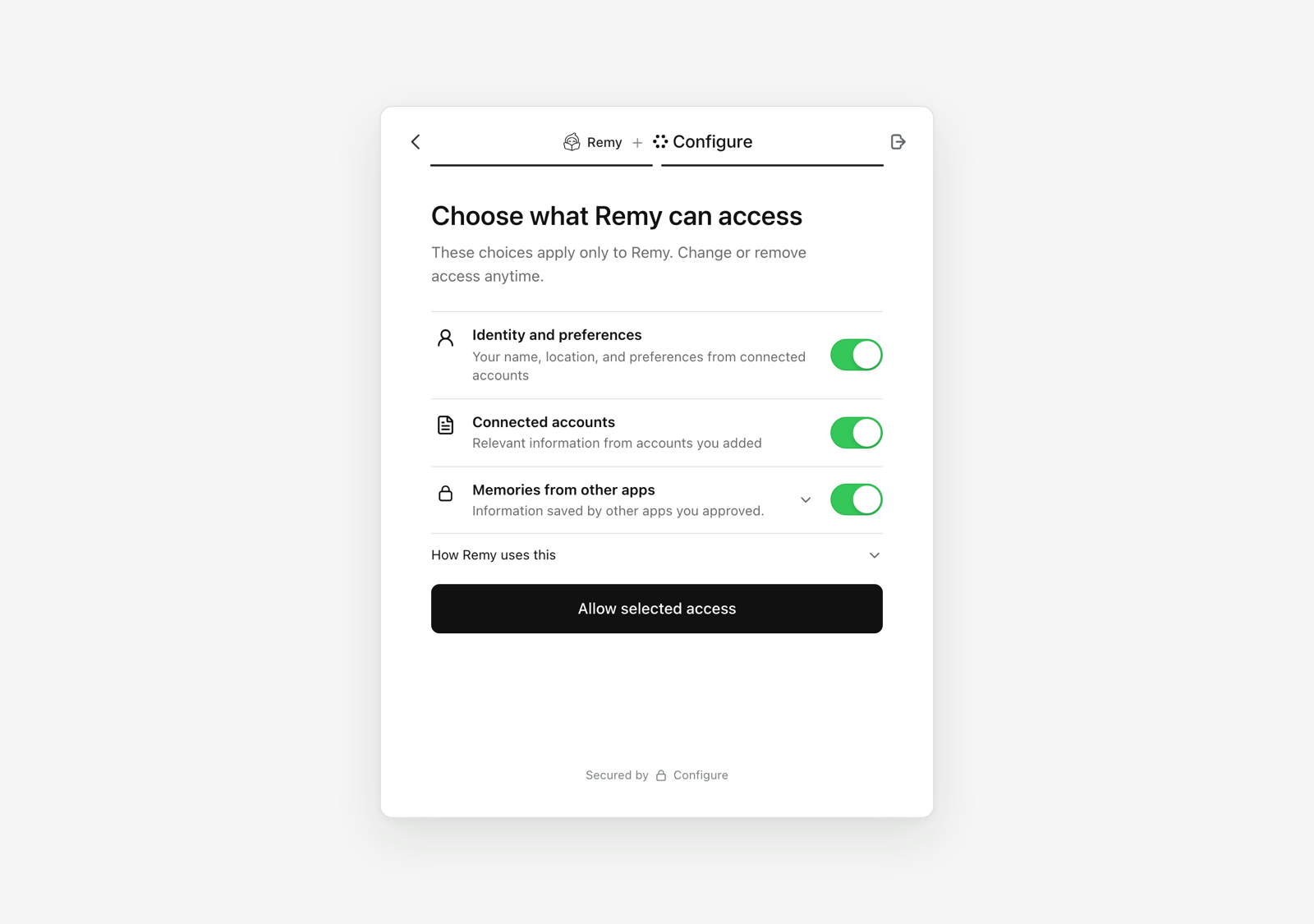
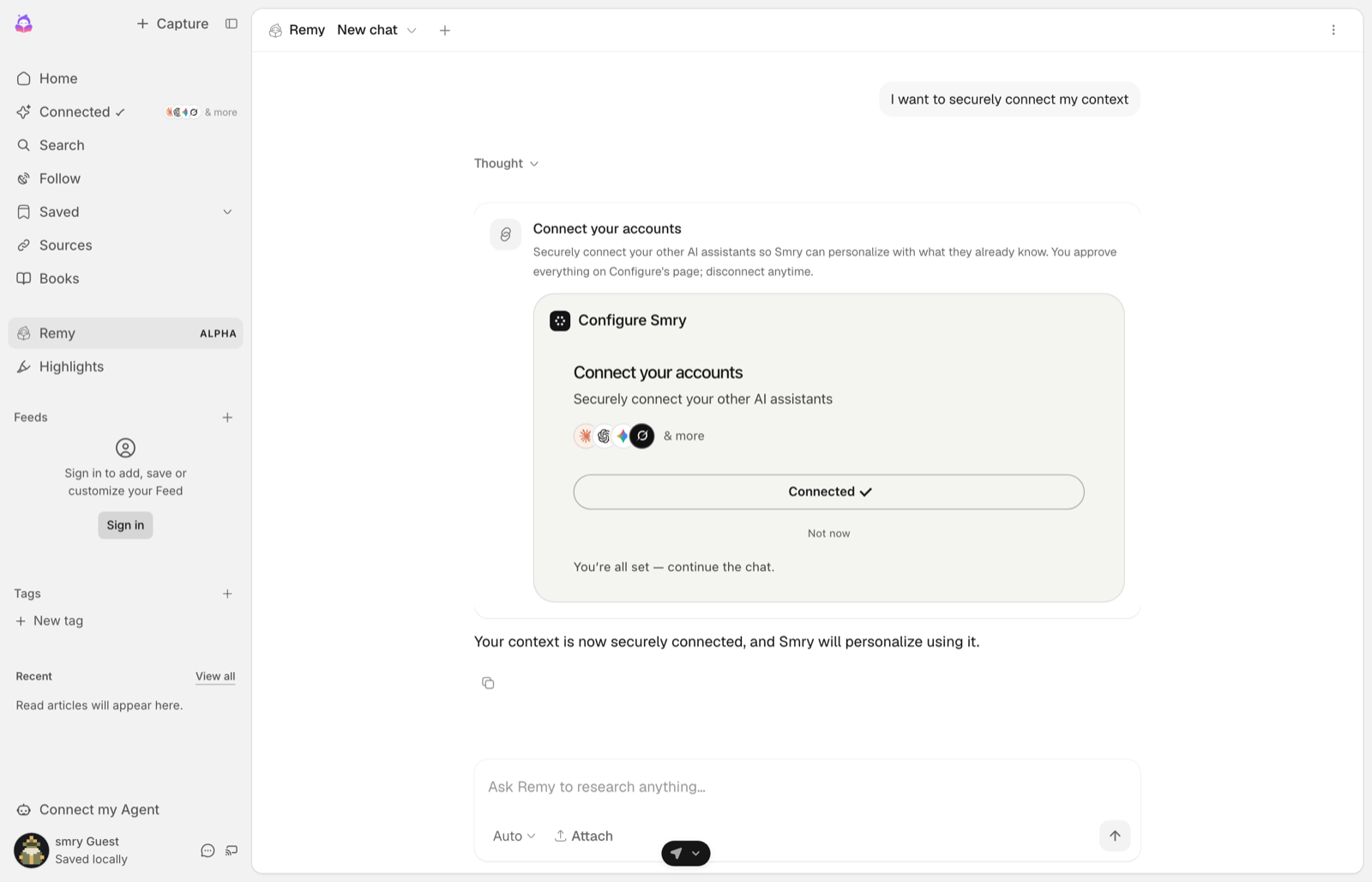
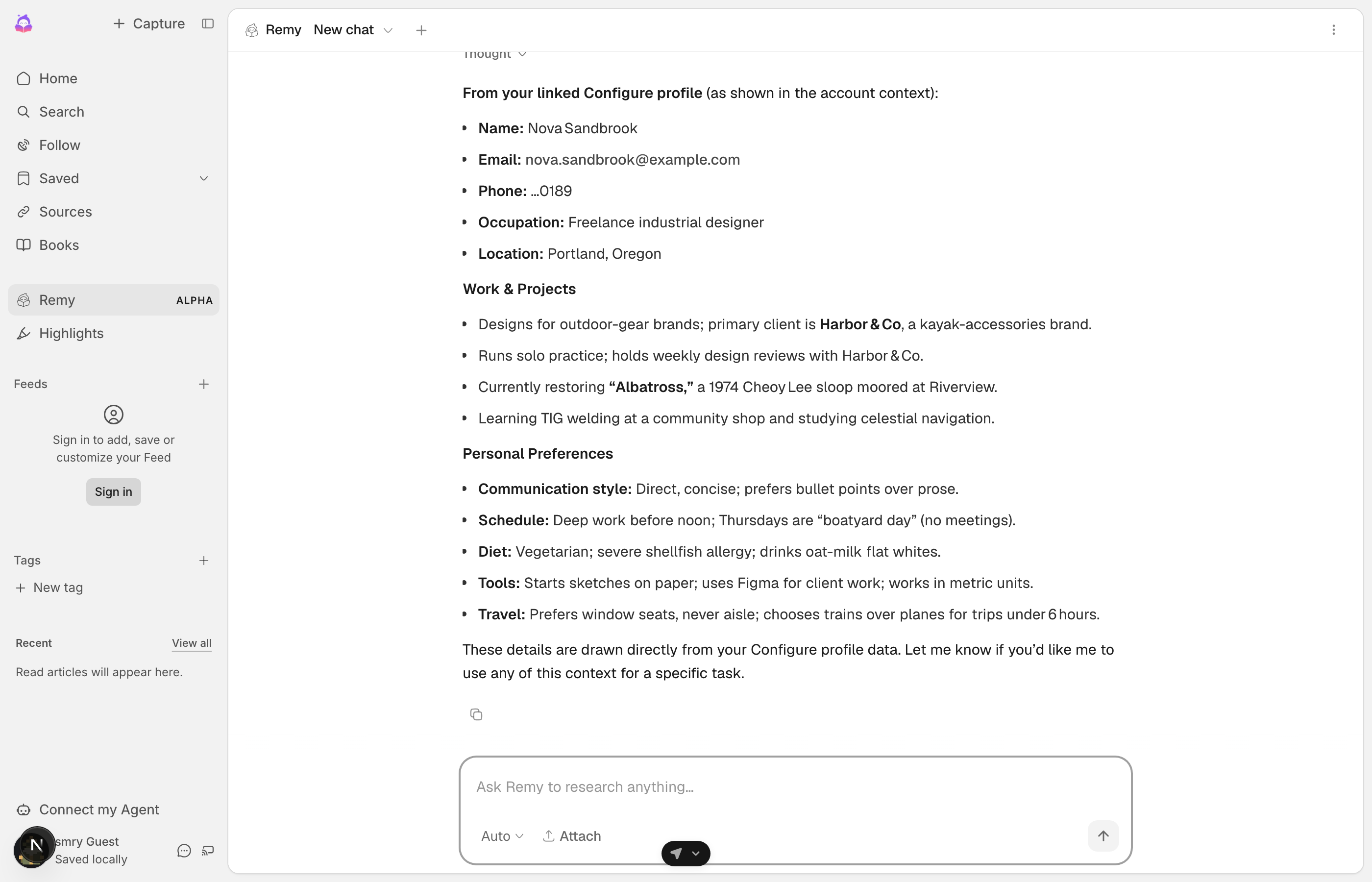
Your agent did not learn any of this from your product. The user brought it, approved it, and can revoke it, and it followed them in. The Quickstart is the code behind each of these, on one page.
Try it yourself. That link opens the hosted flow exactly as a user sees it, any time.
Choose your path
QuickstartThe six steps, end to end, for an app you write the server for.SkillsPaste one message into Claude Code, Cursor, or Codex and it builds the whole pattern for you.OnboardingNot a chat: the user goes to Configure's page and comes back to a screen you can already fill in.ComponentsThe chip, the tab, and the card, with the code under each.Connect over MCPConnect an app you already use, or connect from your own server.Message agentsSMS or voice, where the minted link is the button.
For coding agents
If you are an AI agent integrating Configure on a developer's behalf: follow the Quickstart top to bottom; it is the complete main path. Every page on this site is available as plain markdown by appending .md to its URL, and the full index is at /llms.txt. Guarantee the baseline from the server: a daily profile refresh injected on the first turn, and a commit at the end of every turn. Then give the model the configure_* tools over MCP. Never construct a Configure link yourself; only profile.connect() mints one.